 Smiths AI
How can we recreate the Smiths elevator scene with two photos?
Create the I Love the Smiths elevator scene from one portrait of each person. Watching the sample and planning roles are free; a 720p video uses 50 credits (the 50-credit pack is $8.99). The template sets the scene, while expressions and timing can vary.
A video made on Vorapo
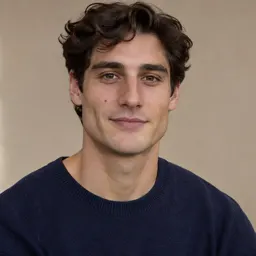
These two sample portraits became this 15-second video. The person on the left wears headphones; AI results can vary.

Start with two photos and two roles
Choose one clear, well-lit photo of each person, with their face and eyes visible. Use images and likenesses you have permission to use. In Create, add one image to each side: the left character wears headphones and listens; the right character starts the conversation.
Swap the roles before generating if you want the other person to listen. You can try both arrangements for free; each finished video requires a separate generation and credits.
Follow the sample’s visual sequence
In the Vorapo sample, the person on the right looks toward the headphone wearer first. The listener turns toward them and raises a hand to the headphones; their conversation and changing expressions follow in the same two-person framing.
Use this as an example, not a guaranteed shot list. The model can vary the direction of a glance, facial expressions, movement and the timing of each beat.
What can we control?
You choose the two images, assign or swap the roles, and select 720p or 1080p. The template supplies the scene and its visual sequence; there are no controls for setting individual expressions, camera angles, cuts or exact timestamps.
If you need a precise look, camera angle or pause, film the scene yourselves and edit the takes. For the generated version, clearer portraits or a different role arrangement may produce a different result, but cannot guarantee a particular expression or movement.
Generate and review
Confirm permission, sign in, choose a quality and use credits to generate. The clip is about 15 seconds; generation takes about 15 minutes, though the wait can vary. Watch or download the finished result in My Video.
To make a second version with roles reversed, swap the roles and generate another video. Check the current credit cost before starting.